リアルタイム ゲーム翻訳
聞こえる。読める。すぐに。

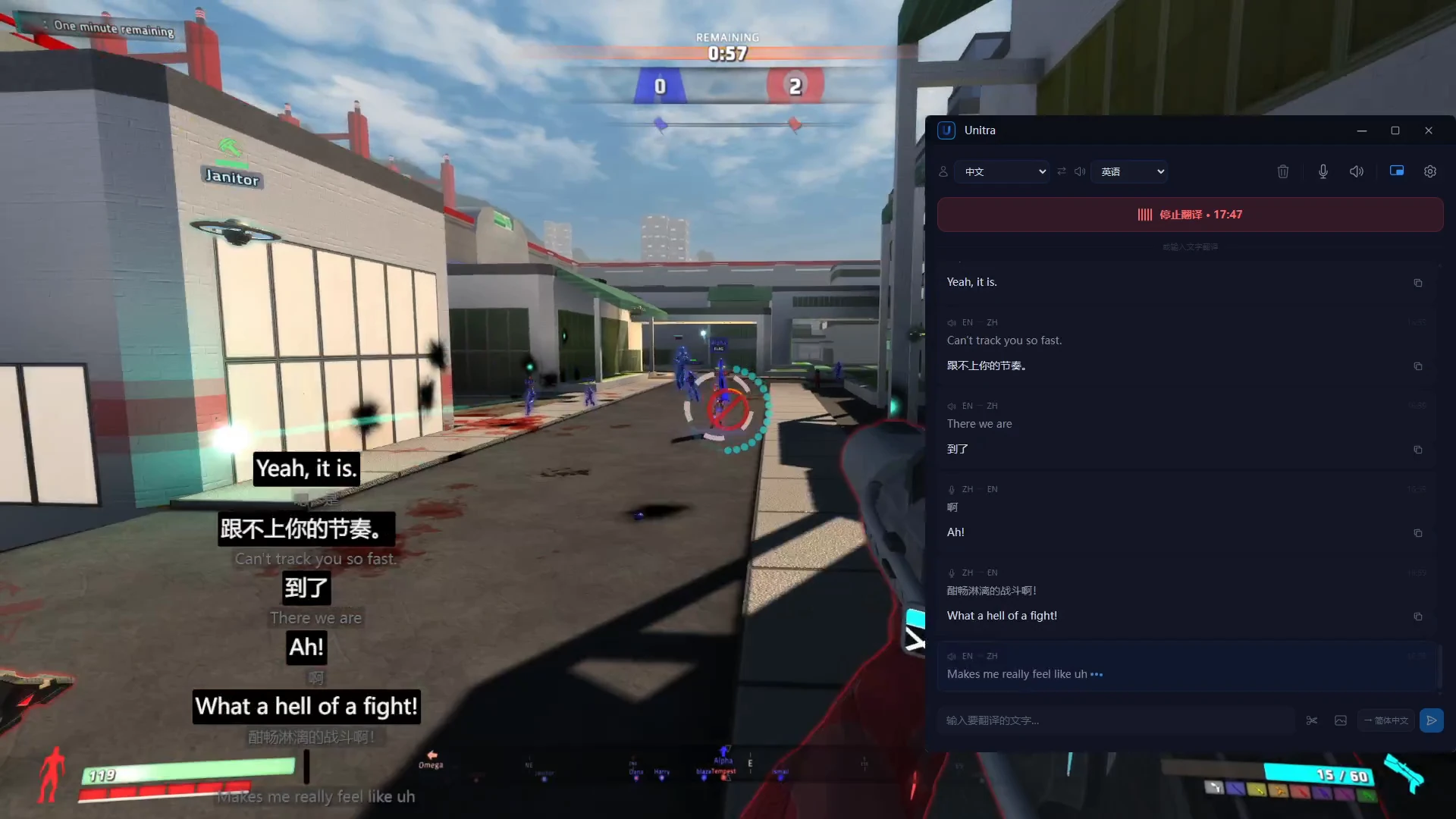
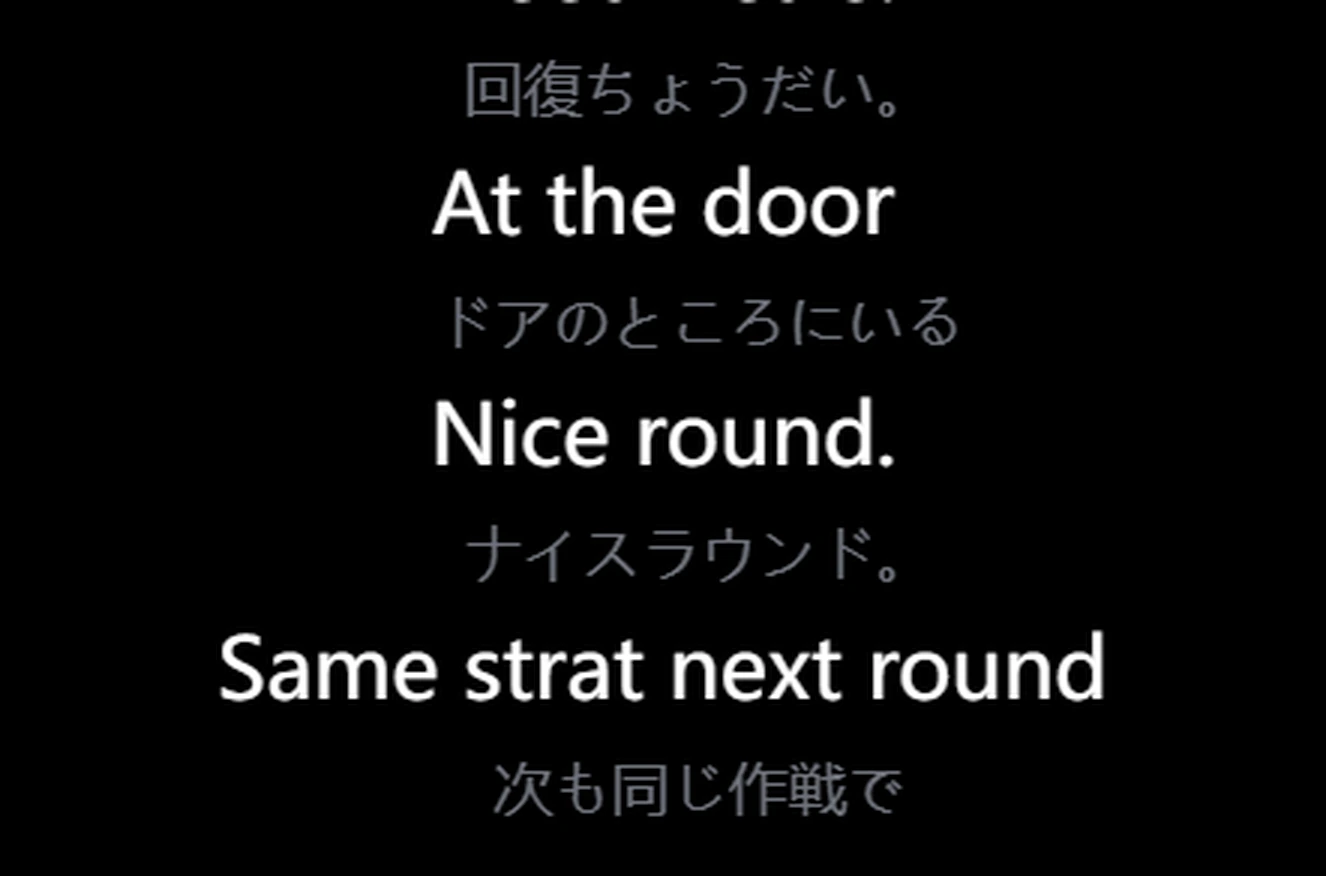
Unitra AI はプレイ中にゲームの言語を翻訳します。味方のボイスチャットはゲーム内オーバーレイにリアルタイムで、さらにタイピングチャットと画面上のテキストも。ウィンドウ切り替えもコピペも不要です。

100%
デバイスに留まる音声
~1s
エンドツーエンドの遅延
>90%
ゲーム用語の精度
12+
専用用語辞書対応ゲーム

プレイを止めない翻訳

Unitra AI はバックグラウンドで動作し、音声をキャプチャしてゲーム内オーバーレイで翻訳を表示します。

ゲーム内翻訳に特化

実行中のゲームを自動検出し、クリックスルー対応のオーバーレイを表示。ゲームプレイを妨げることなくボイスチャットをリアルタイム翻訳。

リアルタイム音声翻訳

話すか音声を再生するだけで、瞬時に翻訳が表示されます。音声認識はデバイス上で実行、翻訳結果は約1秒で到着。

デュアルオーディオソース

マイクとデスクトップ音声を同時にキャプチャ。ゲームのボイスチャット、Discord通話、会議音声。すべて同時に。

音声はあなたのデバイスに留まる

あなたの音声はあなたのデバイスに留まります。明示的にデータ共有を選択しない限り、Unitra AI は音声をアップロード、収集、保存しません。プライバシーは既定でオン。

邪魔にならないオーバーレイ

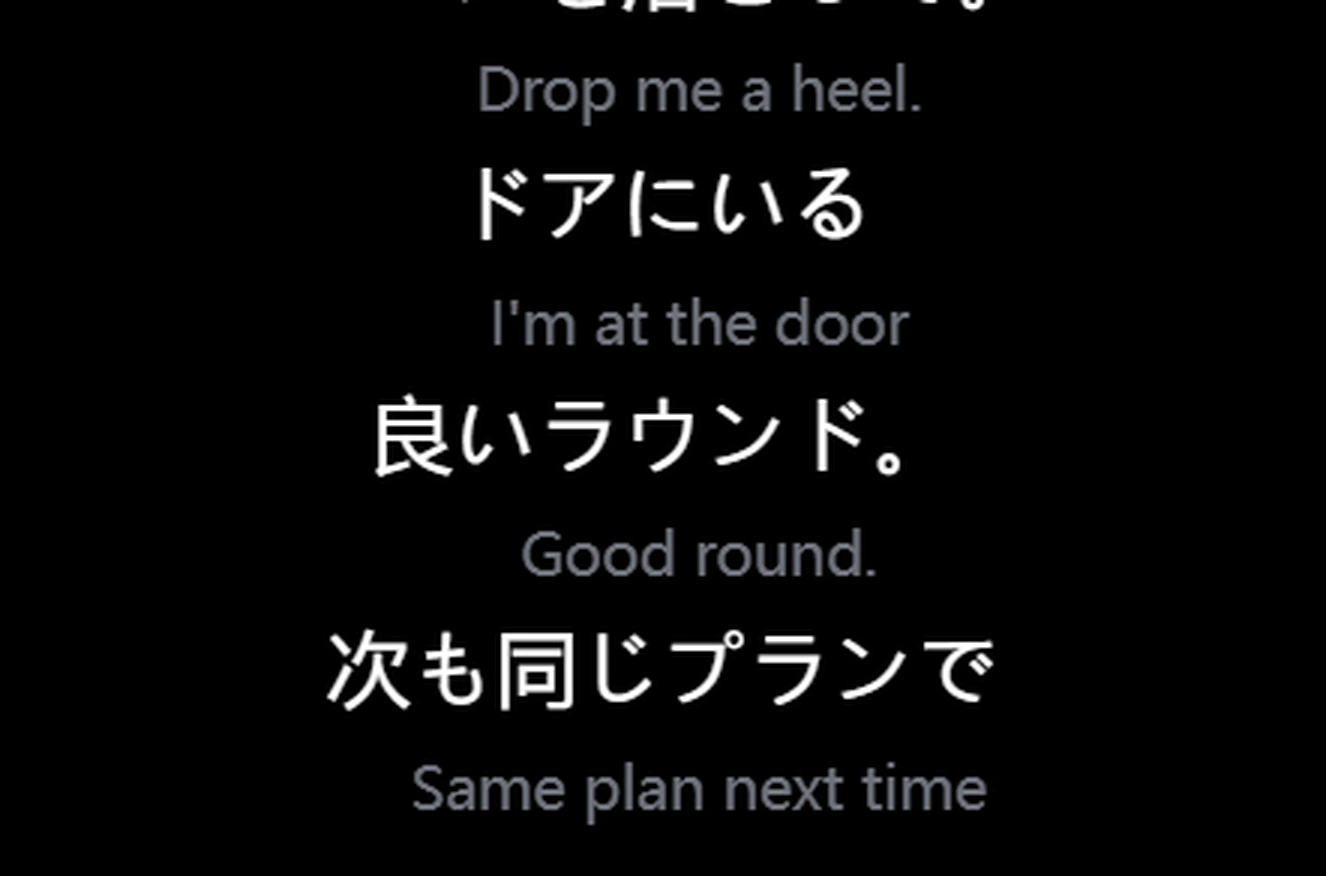
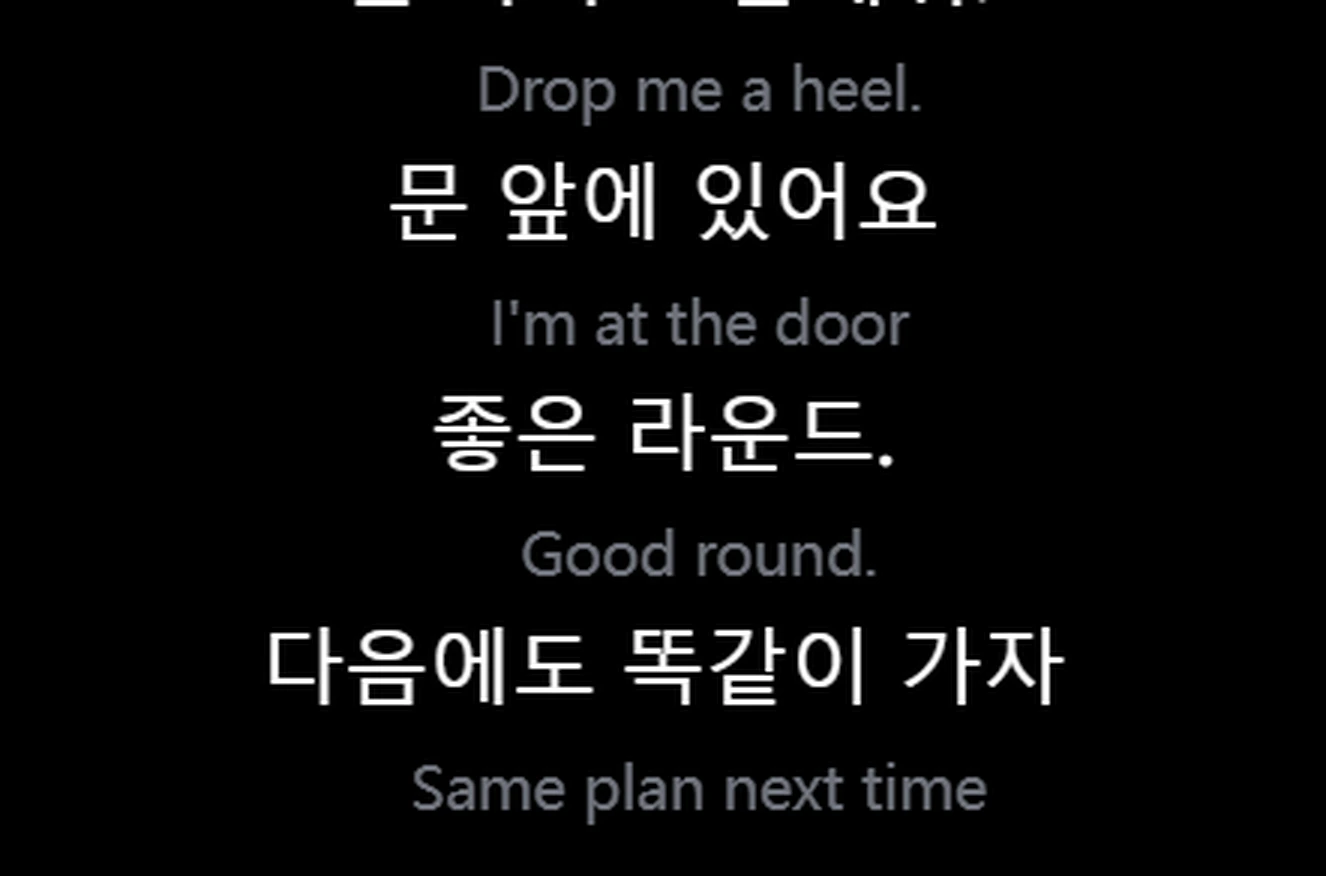
翻訳テキストは画面上にフローティングオーバーレイとして表示。常に最前面、クリックスルー対応、完全カスタマイズ可能。

ゲーム特化設計

ゲーム特化設計。各ゲーム固有の用語(キャラクター、アイテム、スキル、コールアウト)を正確に認識して翻訳します。

起動して話すだけ

Unitra AI はバックグラウンドで動作。手動操作やウィンドウ切り替えは不要。

1

言語を選択

ソース言語とターゲット言語を選択して、翻訳を開始してください。

2

自動認識&翻訳

音声が認識され、言語が自動検出されます。リアルタイムで翻訳、ボタン操作不要。

3

結果をオーバーレイで確認

翻訳テキストが邪魔にならないオーバーレイとして画面上に表示。4つの表示モードから選べます。

翻訳ツールの、その先へ

リアルタイム音声翻訳のためにゼロから設計。汎用ツールの使い回しではありません。

プライバシー重視

あなたの音声は既定でデバイスに留まります。アップロードなし、録音保存なし。プライバシーは設計の基礎。

ゲーム向けに設計

汎用翻訳機ではありません。ゲーム対応オーバーレイ、クリックスルー設計、ゲームプレイへのゼロ干渉。

超高速

音声から翻訳テキストまで約1秒。ローカルASRとリアルタイムに最適化されたクラウド翻訳パイプラインの組み合わせ。

あなたのコミュニケーションのために

最も大切な瞬間のためのリアルタイム翻訳。

ゲーム

海外プレイヤーとチームを組もう。ボイスチャットがリアルタイムで翻訳され、ゲームプレイを遮りません。

  • 実行中のゲームを自動検出
  • クリックスルー対応オーバーレイ
  • ゲーム+マイクのデュアルキャプチャ

配信

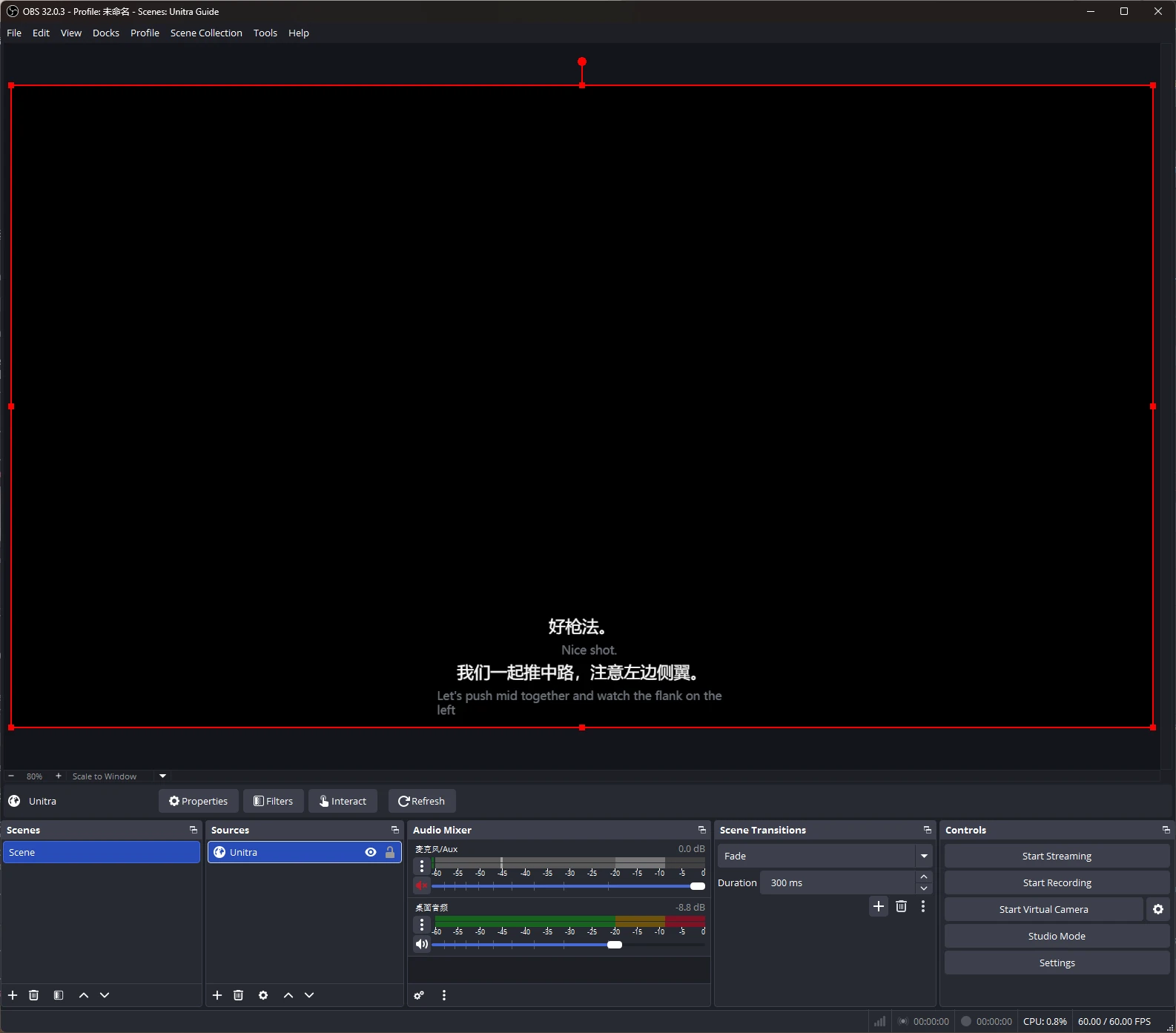
自動翻訳字幕で多言語の視聴者にリーチ。追加セットアップ不要。

  • リアルタイム翻訳字幕
  • カスタマイズ可能なオーバーレイ位置
  • OBS などのツールに対応

こんな用途にも

リモートチーム:多言語の会議や通話に対応
語学学習:リアルタイム翻訳で没入

Frequently Asked Questions

Quick answers about Unitra AI — what it does, how it works, and what to expect.

What is Unitra AI?
Unitra AI — short for Universal Translator — is a desktop app that translates voice chat in real time. It captures microphone and desktop audio and shows translations in a click-through in-game overlay tuned for gaming terminology. Beyond voice, Unitra AI also supports text and image translation — paste in chat messages or capture on-screen UI text and the same gaming-tuned AI translates them.
Is Unitra AI free to use?
Yes — Unitra AI is free to start. During the open beta, the free tier currently includes a weekly quota covering about 10 hours of voice translation per week; actual duration varies with how you use it. No credit card needed to get started.
Is Unitra AI easy to set up?
Yes. Unitra AI is designed for a one-click setup — install the desktop app, pick your spoken language and the language you want translations in, and translation runs automatically while you play. There's no per-game configuration, no separate audio routing, and no plugins to install.
Which games does Unitra AI work with?
Unitra AI works with any PC game that has voice chat — including FPS shooters, MOBAs, MMOs, battle royale and party games. It captures system audio and microphone input directly, so it doesn't depend on per-game integrations. Game-specific terminology fine-tuning is an active area of development; results vary by title and language pair.
Is there noticeable lag with real-time translation?
No. Unitra AI is engineered for low latency, with translations typically appearing in about 1 second end-to-end — fast enough to keep up with team callouts in fast-paced shooters, MOBAs, and other competitive games.
Will Unitra AI affect my game's frame rate?
Not noticeably for most users. Unitra AI is built around a lightweight click-through overlay optimized for low CPU and GPU usage, so the impact on frame rate is typically negligible. Exact figures depend on your hardware and the game.
Is my voice uploaded to the cloud?
No. Your audio stays on your device. Unitra AI never uploads, collects, or stores your audio unless you explicitly opt in to share data to help us improve the product — this is off by default and can be toggled at any time.
Which languages does Unitra AI support?
Unitra AI currently supports 20 major languages used in gaming voice chat: English, Chinese, Japanese, Korean, Vietnamese, French, Spanish, Portuguese, Italian, German, Russian, Dutch, Polish, Belarusian, Ukrainian, Croatian, Armenian, Georgian, Arabic and Persian. Coverage continues to expand.
Can Unitra AI translate gaming slang, callouts, and in-game terminology?
Yes. Unitra AI is powered by AI translation models tuned specifically for gaming voice chat — they handle in-game terminology, callouts, and slang that generic translators often miss. Quality varies by language pair, and we continuously improve the models based on real gameplay feedback.
Is Unitra AI just a ChatGPT/GPT wrapper?
No. Speech recognition runs entirely on your device, so no audio is uploaded. For cloud translation we leverage best-in-class multilingual AI, but the bulk of what makes Unitra AI work for gaming sits in the engineering layer we've built around it: per-game fine-tuning, callout and glossary injection so in-game terminology translates correctly. Many "AI translator" products are a thin proxy to a chatbot API — Unitra AI isn't.
Does Unitra AI translate text and images, or only voice?
All three. Voice translation is the flagship, but Unitra AI also handles in-game text chat and on-screen image translation — game UI, screenshots, and on-screen text panels — using the same gaming-tuned AI models. One app, one quota, one workflow.
Can I use Unitra AI to play with teammates on international servers?
Yes — that's exactly what Unitra AI is built for. Whether you're queuing on JP, NA, EU, KR or any other regional server, Unitra AI captures both your microphone and your teammates' voice from desktop audio so cross-region squads can talk to each other in their own languages, with translations appearing in real time.
Is Unitra AI related to the Polish electronics brand Unitra?
No. Unitra AI — short for Universal Translator — is an independent software product focused on real-time voice translation for gaming. It is not affiliated with Unitra, the historical Polish consumer-electronics brand.
How can I try Unitra AI?
Unitra AI is in open beta. Download it for Windows on unitra.ai and create a free account to get started, or join the Unitra AI community on Discord.

言葉の壁を、なくそう。

Unitra AIをダウンロードして、世界中のプレイヤーと繋がろう。無料で始められます。