مترجم الألعاب
في الوقت الفعلي.

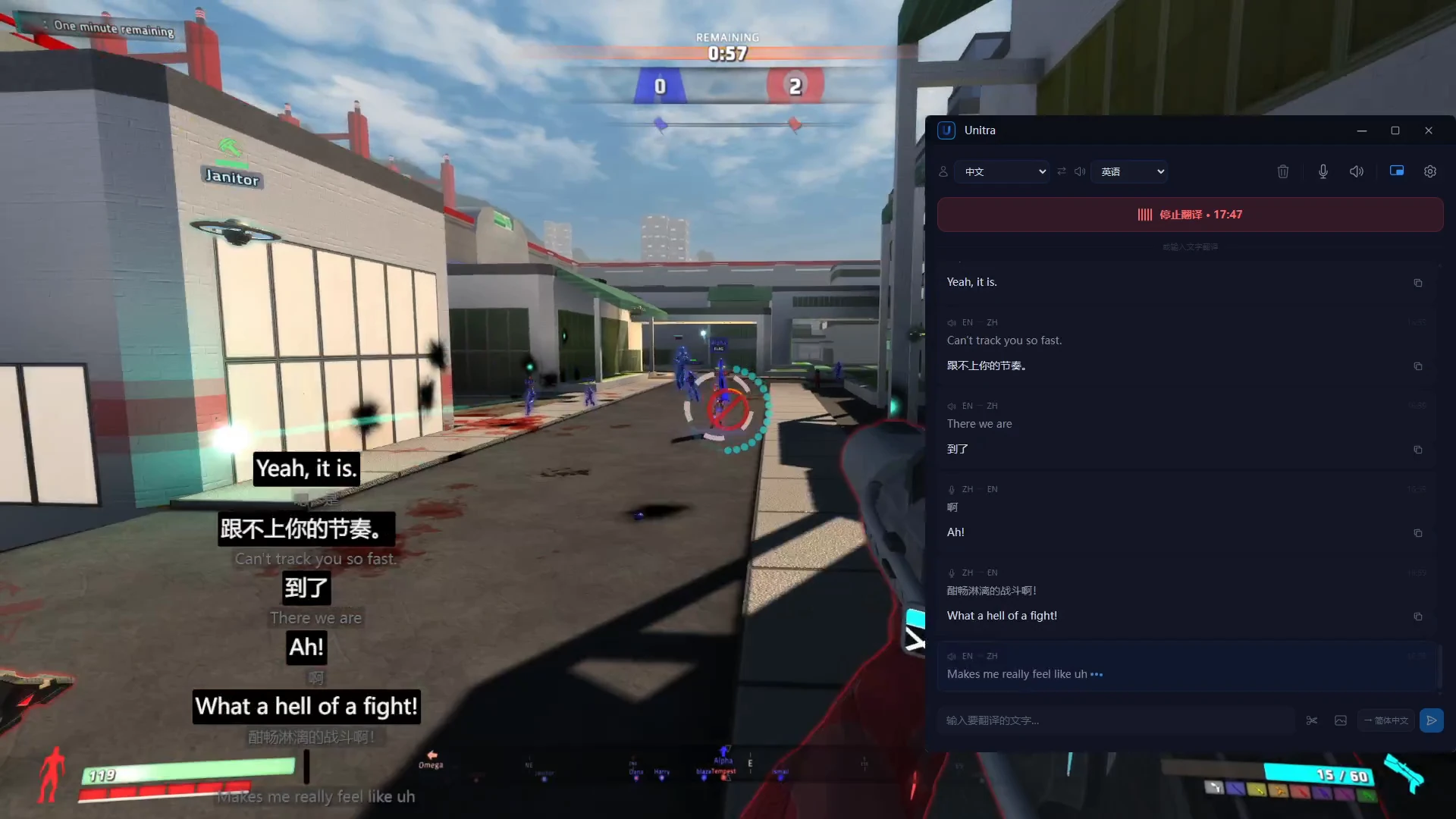
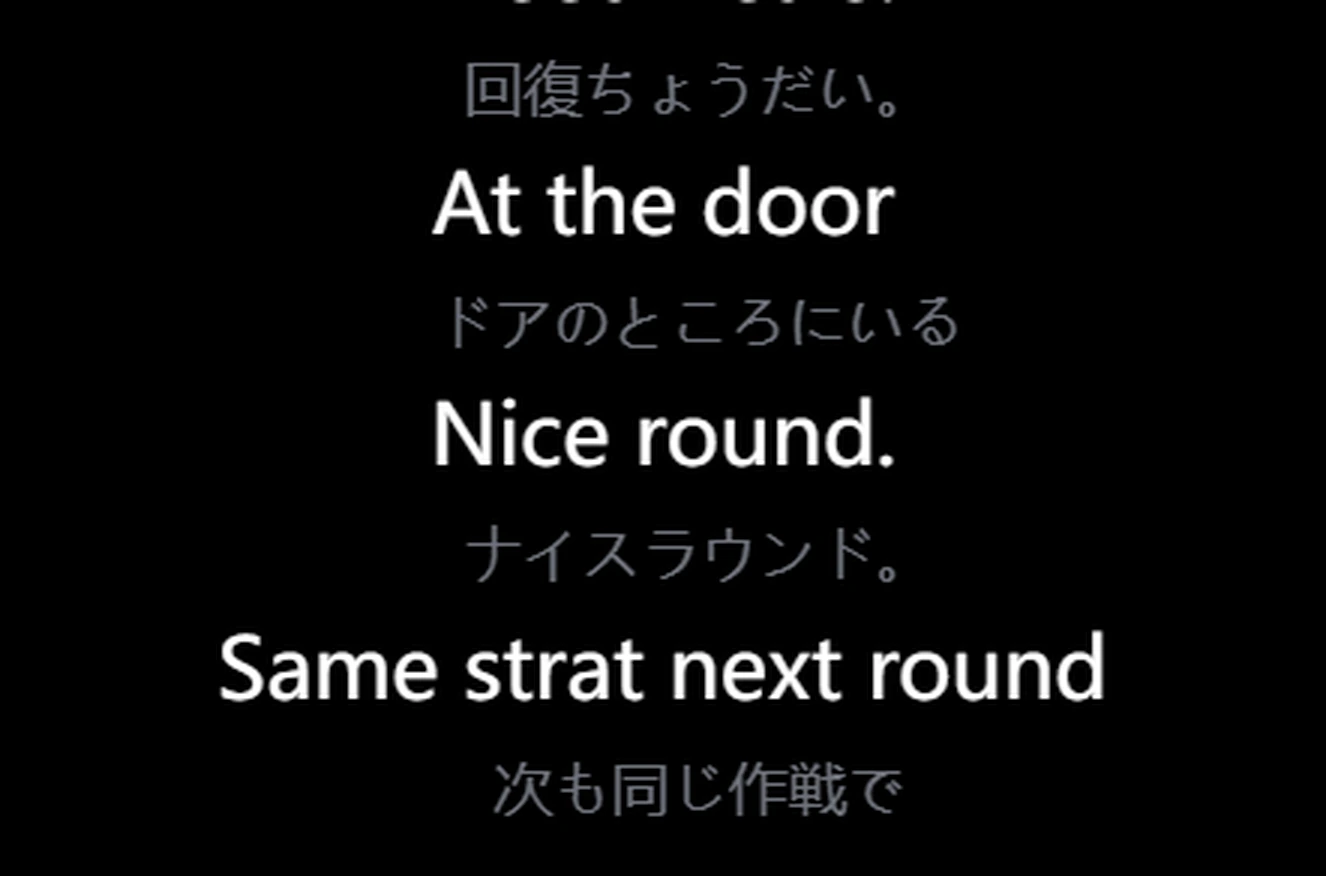
يترجم Unitra AI لغة لعبتك أثناء اللعب: الدردشة الصوتية لزملائك مباشرة في طبقة فوق اللعبة، إضافة إلى الدردشة المكتوبة والنص الظاهر على الشاشة. بلا نسخ ولصق وبلا تبديل نوافذ.

100%
الصوت يبقى على الجهاز
~1s
زمن استجابة شامل
>90%
دقة المصطلحات في الألعاب
12+
لعبة بمصطلحات مخصصة

ترجم وأنت تلعب

يعمل Unitra AI في الخلفية ويلتقط الصوت ويعرض الترجمة كطبقة داخل اللعبة. بلا تبديل نوافذ ولا انقطاع.

مصمم للترجمة داخل اللعبة

يكتشف الألعاب قيد التشغيل ويثبّت طبقة شفافة للنقر فوقها. ترجم الدردشة الصوتية في الوقت الفعلي دون مغادرة لعبتك.

ترجمة صوتية فورية

تحدّث أو شغّل صوتًا وستظهر الترجمة فورًا. التعرّف يجري على جهازك، والترجمة تصل خلال ~1 ثانية.

مصدر صوت مزدوج

التقط الميكروفون وصوت سطح المكتب في آنٍ واحد. الدردشة الصوتية، مكالمات Discord، صوت الاجتماعات. كله مرة واحدة.

الصوت يبقى على جهازك

صوتك يبقى على جهازك. ما لم توافق صراحة على مشاركة البيانات، لن يقوم Unitra AI أبدًا بتحميل أو جمع أو تخزين صوتك. الخصوصية مفعّلة افتراضيًا.

طبقة عرض غير متطفّلة

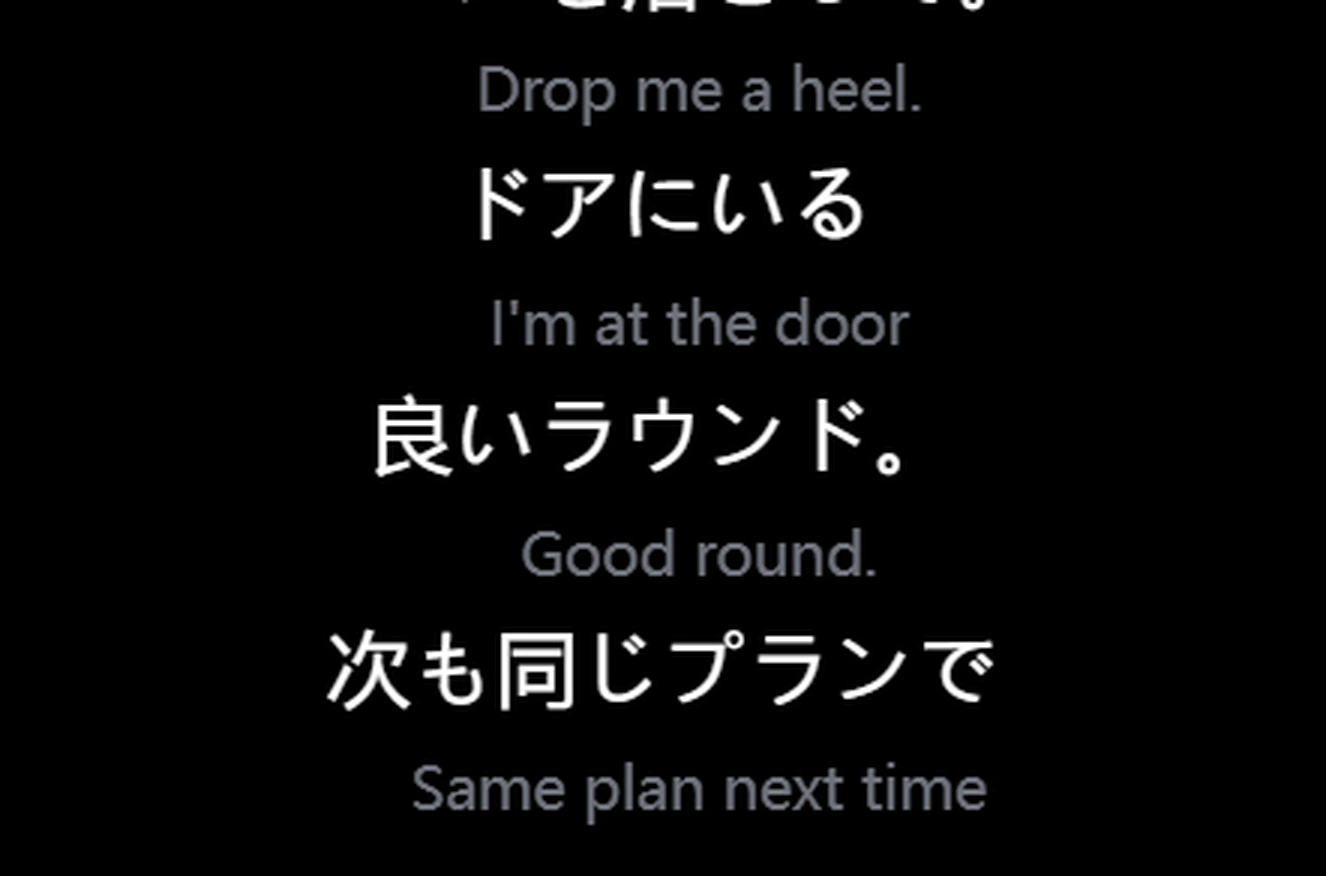
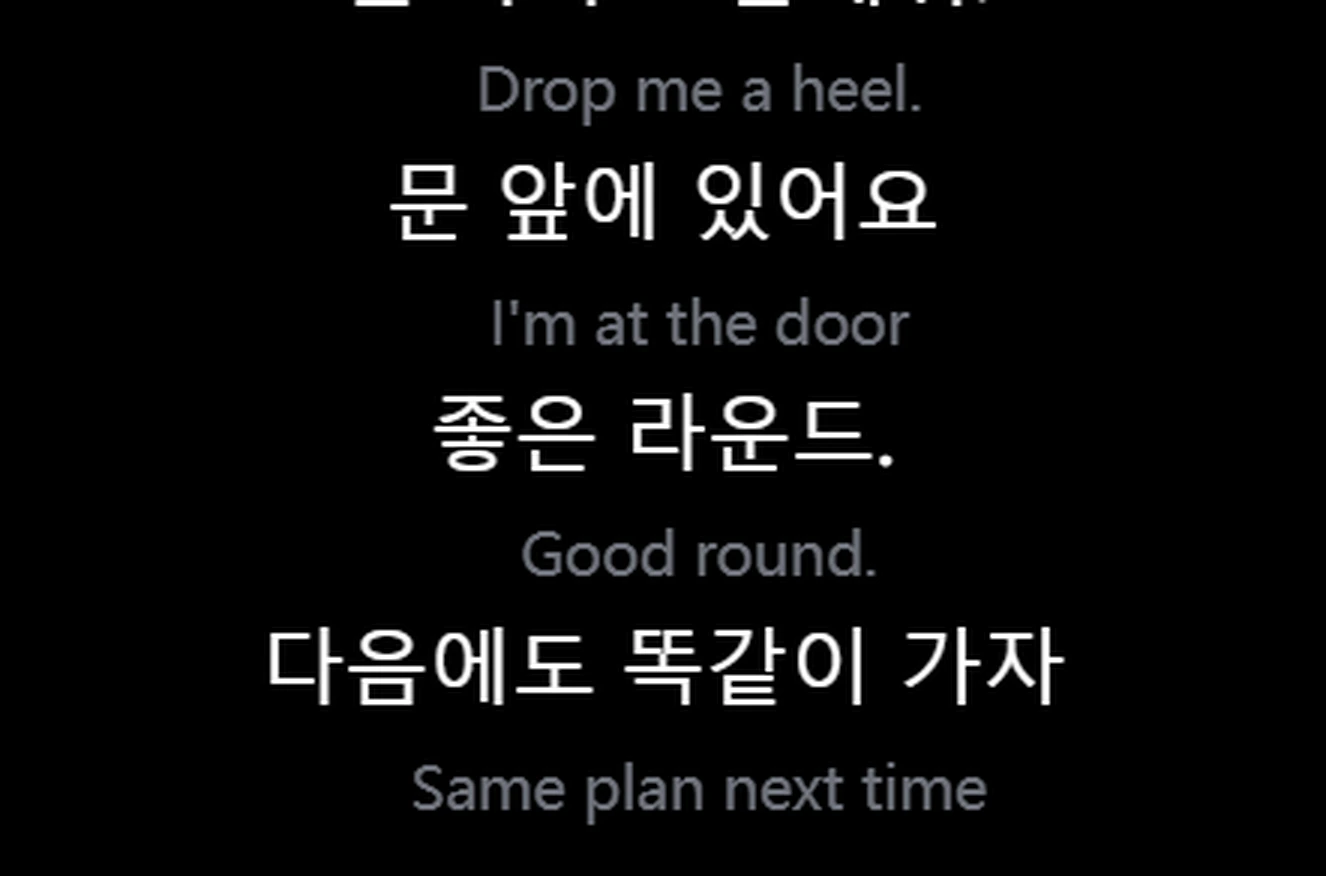
يظهر النص المترجم كطبقة عائمة فوق الشاشة. دائمًا في المقدمة، شفافة للنقر، وقابلة للتخصيص بالكامل.

مصمم للألعاب

مصمم للألعاب. مفردات كل لعبة يتم التعرف عليها وترجمتها بدقة: الشخصيات والأغراض والمهارات والنداءات.

شغّل وتحدّث

يعمل Unitra AI في الخلفية. بلا خطوات يدوية، بلا تبديل نوافذ.

1

اختر اللغات

اختر اللغة المصدر واللغة الهدف، ثم ابدأ الترجمة.

2

تعرّف وترجمة تلقائيان

يُتعرَّف على الكلام وتُكتشف اللغة تلقائيًا. الترجمة في الوقت الفعلي بلا أزرار.

3

شاهد النتائج في الطبقة

يظهر النص المترجم كطبقة غير متطفّلة فوق الشاشة. اختر من بين 4 أوضاع عرض.

ليس مجرد مترجم آخر

مبنيّ من الأساس للترجمة الصوتية في الوقت الفعلي، وليس أداة عامة معدّلة.

الخصوصية أولًا

صوتك يبقى على جهازك افتراضيًا. لا تحميل، لا تسجيلات محفوظة. الخصوصية مدمجة.

مصمّم للألعاب

ليس مترجمًا عامًا. طبقة واعية باللعبة، شفافة للنقر، صفر انقطاع في اللعب.

سرعة فائقة

~1 ثانية من الكلام إلى النص المترجم. تعرّف محلي مع خط معالجة سحابي مُحسّن للوقت الفعلي.

مصمّم لطريقتك في التواصل

ترجمة فورية للحظات الأهم.

الألعاب

العب مع لاعبين دوليين. تُترجم الدردشة الصوتية في الوقت الفعلي، والطبقة الشفافة لا تعيق اللعب أبدًا.

  • كشف تلقائي للألعاب قيد التشغيل
  • طبقة شفافة للنقر تبقى في المقدمة
  • صوت مزدوج: لعبة + ميكروفون

البث المباشر

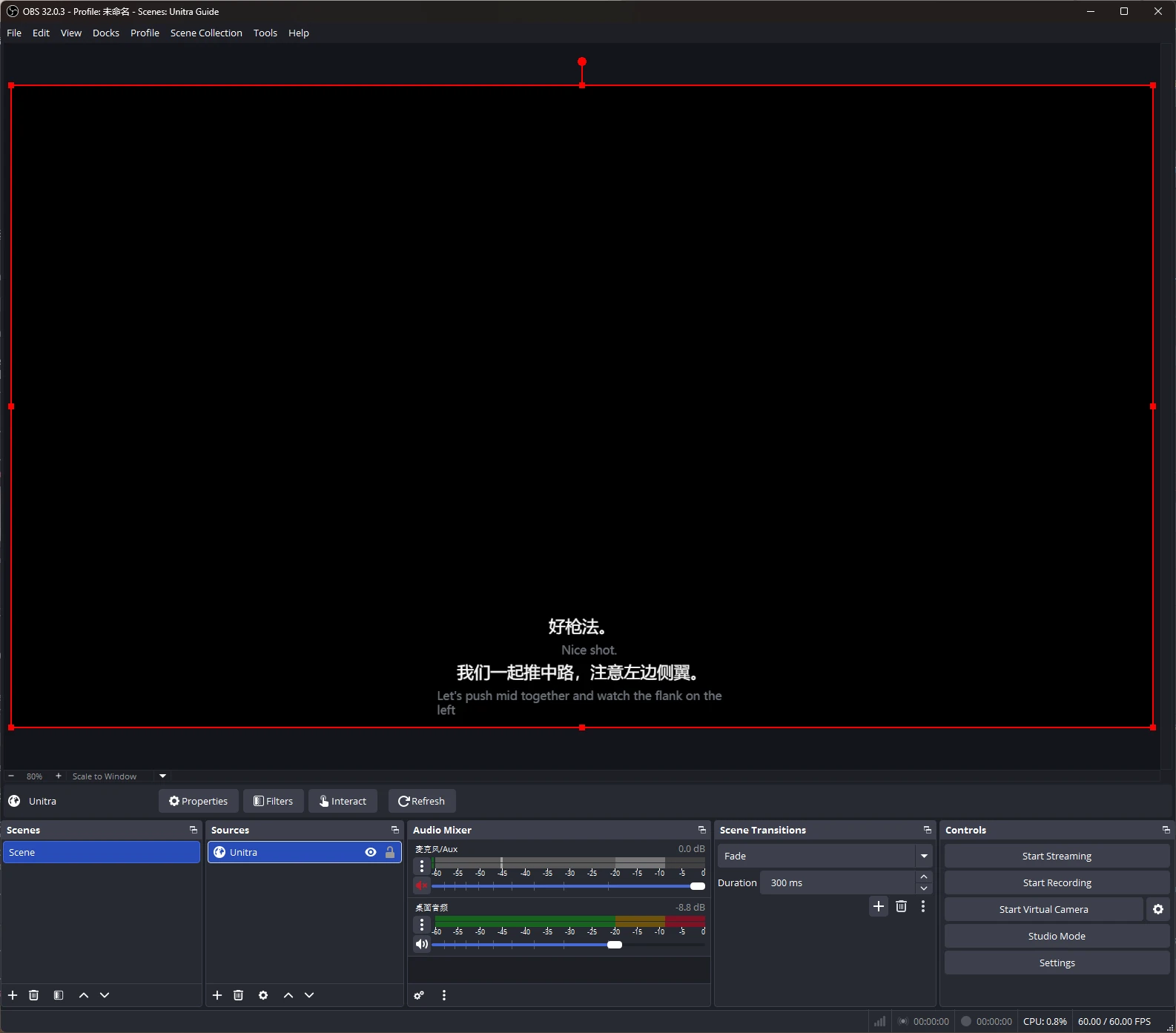
صل إلى جمهور متعدد اللغات بترجمة تلقائية للترجمات على بثّك. بلا إعداد إضافي.

  • ترجمات حيّة في الوقت الفعلي
  • موضع طبقة قابل للتخصيص
  • يعمل مع OBS وأدوات أخرى

مناسب أيضًا لـ

الفرق عن بُعد: متابعة اجتماعات ومكالمات متعددة اللغات
متعلمي اللغات: انغماس مع ترجمة فورية

Frequently Asked Questions

Quick answers about Unitra AI — what it does, how it works, and what to expect.

What is Unitra AI?
Unitra AI — short for Universal Translator — is a desktop app that translates voice chat in real time. It captures microphone and desktop audio and shows translations in a click-through in-game overlay tuned for gaming terminology. Beyond voice, Unitra AI also supports text and image translation — paste in chat messages or capture on-screen UI text and the same gaming-tuned AI translates them.
Is Unitra AI free to use?
Yes — Unitra AI is free to start. During the open beta, the free tier currently includes a weekly quota covering about 10 hours of voice translation per week; actual duration varies with how you use it. No credit card needed to get started.
Is Unitra AI easy to set up?
Yes. Unitra AI is designed for a one-click setup — install the desktop app, pick your spoken language and the language you want translations in, and translation runs automatically while you play. There's no per-game configuration, no separate audio routing, and no plugins to install.
Which games does Unitra AI work with?
Unitra AI works with any PC game that has voice chat — including FPS shooters, MOBAs, MMOs, battle royale and party games. It captures system audio and microphone input directly, so it doesn't depend on per-game integrations. Game-specific terminology fine-tuning is an active area of development; results vary by title and language pair.
Is there noticeable lag with real-time translation?
No. Unitra AI is engineered for low latency, with translations typically appearing in about 1 second end-to-end — fast enough to keep up with team callouts in fast-paced shooters, MOBAs, and other competitive games.
Will Unitra AI affect my game's frame rate?
Not noticeably for most users. Unitra AI is built around a lightweight click-through overlay optimized for low CPU and GPU usage, so the impact on frame rate is typically negligible. Exact figures depend on your hardware and the game.
Is my voice uploaded to the cloud?
No. Your audio stays on your device. Unitra AI never uploads, collects, or stores your audio unless you explicitly opt in to share data to help us improve the product — this is off by default and can be toggled at any time.
Which languages does Unitra AI support?
Unitra AI currently supports 20 major languages used in gaming voice chat: English, Chinese, Japanese, Korean, Vietnamese, French, Spanish, Portuguese, Italian, German, Russian, Dutch, Polish, Belarusian, Ukrainian, Croatian, Armenian, Georgian, Arabic and Persian. Coverage continues to expand.
Can Unitra AI translate gaming slang, callouts, and in-game terminology?
Yes. Unitra AI is powered by AI translation models tuned specifically for gaming voice chat — they handle in-game terminology, callouts, and slang that generic translators often miss. Quality varies by language pair, and we continuously improve the models based on real gameplay feedback.
Is Unitra AI just a ChatGPT/GPT wrapper?
No. Speech recognition runs entirely on your device, so no audio is uploaded. For cloud translation we leverage best-in-class multilingual AI, but the bulk of what makes Unitra AI work for gaming sits in the engineering layer we've built around it: per-game fine-tuning, callout and glossary injection so in-game terminology translates correctly. Many "AI translator" products are a thin proxy to a chatbot API — Unitra AI isn't.
Does Unitra AI translate text and images, or only voice?
All three. Voice translation is the flagship, but Unitra AI also handles in-game text chat and on-screen image translation — game UI, screenshots, and on-screen text panels — using the same gaming-tuned AI models. One app, one quota, one workflow.
Can I use Unitra AI to play with teammates on international servers?
Yes — that's exactly what Unitra AI is built for. Whether you're queuing on JP, NA, EU, KR or any other regional server, Unitra AI captures both your microphone and your teammates' voice from desktop audio so cross-region squads can talk to each other in their own languages, with translations appearing in real time.
Is Unitra AI related to the Polish electronics brand Unitra?
No. Unitra AI — short for Universal Translator — is an independent software product focused on real-time voice translation for gaming. It is not affiliated with Unitra, the historical Polish consumer-electronics brand.
How can I try Unitra AI?
Unitra AI is in open beta. Download it for Windows on unitra.ai and create a free account to get started, or join the Unitra AI community on Discord.

هل أنت مستعد لتجاوز الحاجز اللغوي؟

نزّل Unitra AI لنظام Windows وابدأ الترجمة في الوقت الفعلي. مجانًا.