Understand your team.
Start free.

Voice, chat and screen translation for PC games.

Free to download and try during the open beta.

  • ~1 sEnd-to-end latency
  • 35Supported languages
  • 12+Games with dedicated terminology
  • >90%Gaming terminology accuracy

Voice

Hear them. Read the translation.

Your mic and teammates' voice chat, translated together.

Playing in exclusive fullscreen? The free Xbox Game Bar widget keeps the subtitles on top. Fullscreen game support

Voice to voice

Speak your language. They hear theirs.

Talk the way you always do. Unitra AI translates what you say and speaks it into game voice chat or Discord, so your team hears you in their language.

  • Champion
  • Windows only
  • Voices in 10 languages
Explore voice-to-voice translation

Real output from the release build. The Chinese lines are a recorded voice clip; the English voice is what your team hears

Screen

Read the game UI.

Game chat and on-screen text, translated as they change. Pick the chat area once and Unitra AI keeps reading it.

Automatic screen translation: pick an area once and every new chat line is translated as it appears, no snip needed. Day Pass and Champion, on Windows

Chat from our demo game, English into Chinese. Real output from the release build

One-off: snip any menu or quest log

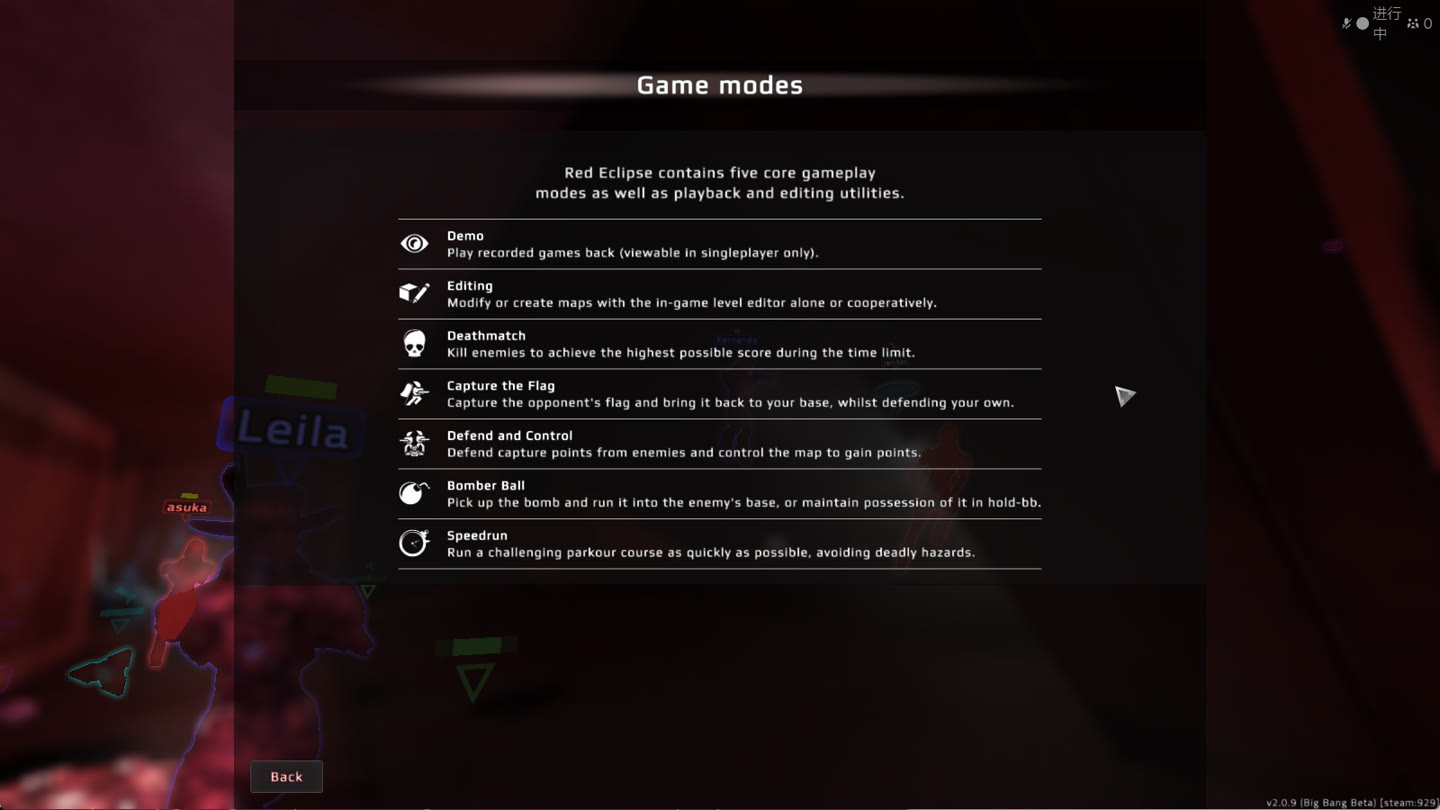
Red Eclipse help screen listing the game modes in English, with a snip selection drawn around the list
1 Press the snip shortcut and drag over the text.
2 Recognized and translated in the main window.

Red Eclipse help screen, English into Japanese. Real output from the release build. Explore screen translation

Chat

Translate your next message.

Type or paste chat text. The translation is ready to copy back into the game, in either direction.

English한국어
An English chat line translated into Korean
English中文
An English chat line translated into Chinese
日本語English
A Japanese chat line translated into English

Plans & pricing

Free to start. More when you need it.

Upgrade inside the app.

Your starting point

Free

US$0About 2 hours of voice translation a day

No credit card needed to get started.

  • The latest Unitra Engine
  • All 35 languages
  • Voice and chat translation, plus manual screenshot translation
  • In-game overlay
  • Cloud assist: smoother speech recognition when your PC is busy

More time. More tools.

Champion

US$9.99per monthUS$19.99

Launch offer, 50% off

  • Unlimited voice translation
  • Priority translation on our best-performing route
  • Up to 3 languages recognized at once
  • Voice Output: speak your translations into in-game voice chat
  • Automatic screen translation: game chat and on-screen text Windows only
  • Custom Vocabulary for names and in-game terms
  • OBS browser overlay for your stream
  • Overlay Studio: fonts, outlines, themes and presets
  • 3 Day Passes a month to give to friends
  • Priority support

Limited

Legend

US$249.99once, Champion for life

One payment, yours for life.

  • Everything in Champion, forever
  • Price locked, never billed again
  • Legend badge on your account
  • Exclusive Legend app skin

For 24 hours

Day Pass

US$2.49one dayUS$4.99

A day of unlimited translation, no subscription.

  • Unlimited voice translation for 24 hours
  • Priority translation on our best-performing route
  • Automatic screen translation: game chat and on-screen text Windows only

Promotional prices may end. Optional data sharing doubles the Free allowance; off by default.

Audio stays on your device unless you opt in to sharing. With cloud assist, only speech features reach our own servers, and they are never stored Privacy policy

In the match

Your game. Your overlay.

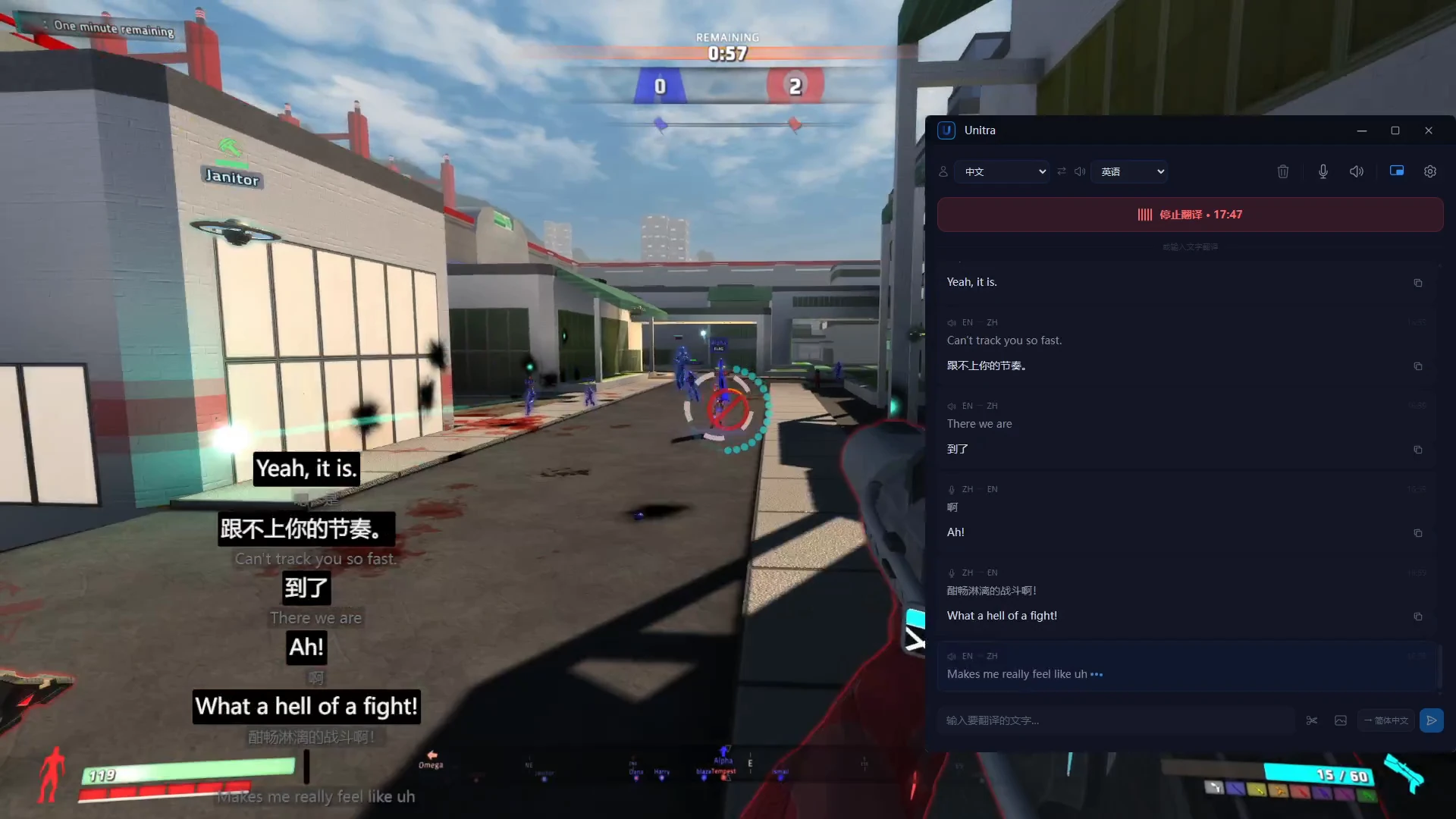
Full screen capture: Red Eclipse on the left with the Unitra AI overlay at the bottom left, the Unitra AI main window on the right
The game, the overlay at the bottom left, the main window on the right.
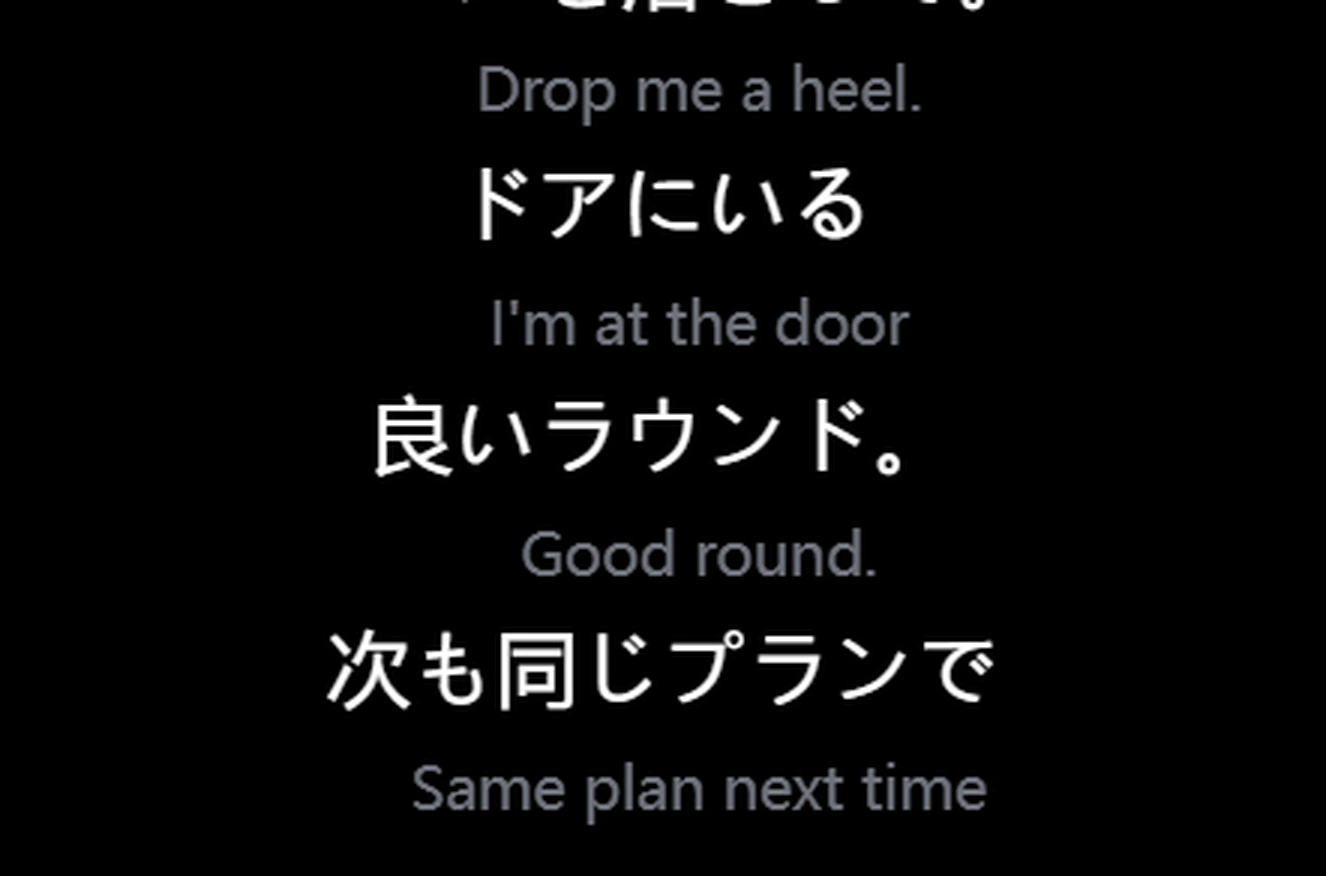
Unitra AI overlay showing English voice chat translated into Japanese
English voice日本語
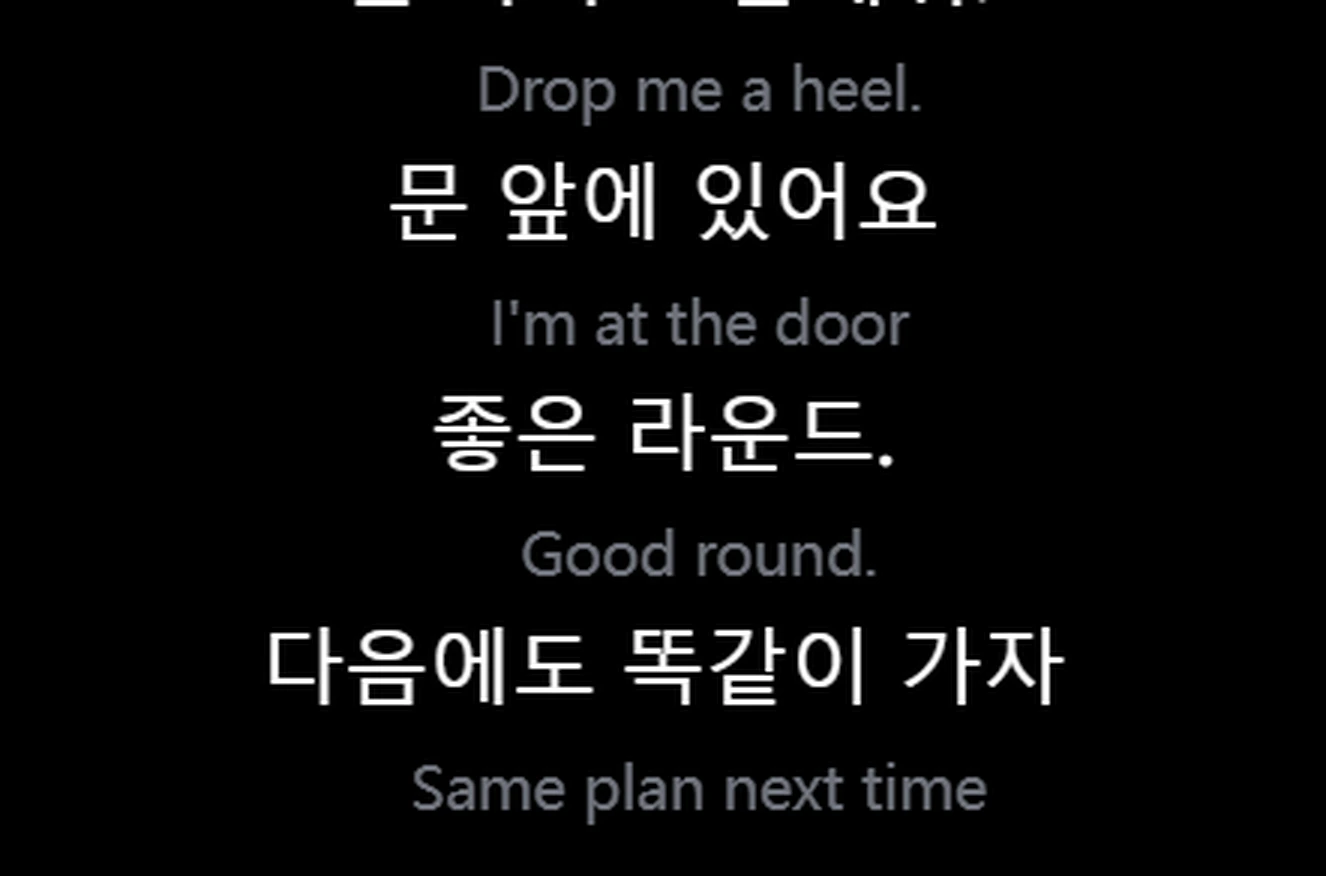
Unitra AI overlay showing English voice chat translated into Korean
English voice한국어
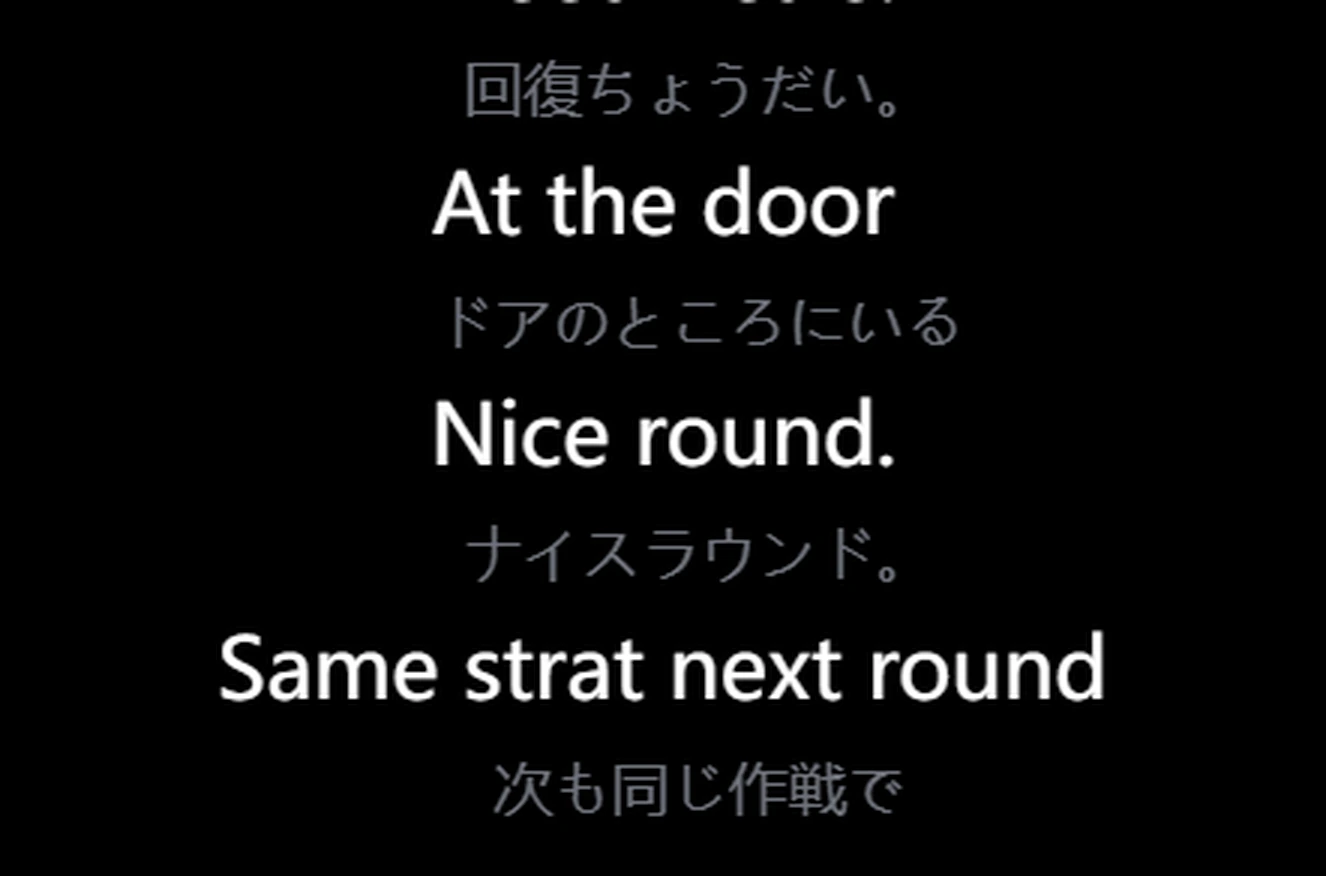
Unitra AI overlay showing Japanese voice chat translated into English
Japanese voiceEnglish
  • Click-throughMouse and keys go to the game. Lock it where you want it.
  • Runs on lower-end PCs tooFrame-rate impact is typically negligible. On a lower-end or busy PC, cloud assist runs the heaviest recognition step on our own servers
  • ~1 sEnd-to-end translation latency.
  • Plug and playWorks with your game voice chat and your mic out of the box.

For streamers

Reach viewers who don't speak your language.

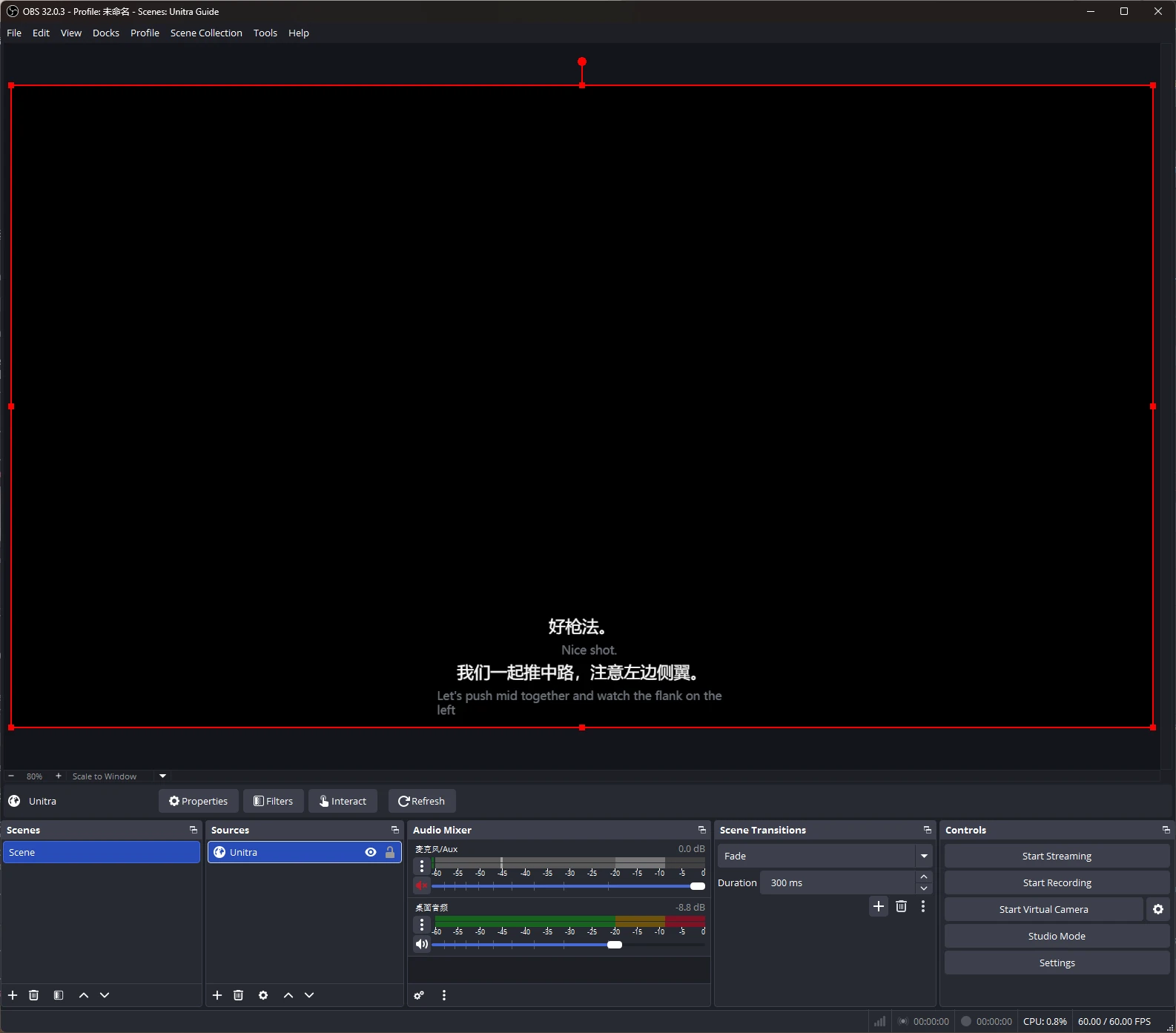
Translated subtitles on your stream, added to OBS Studio as a browser source.

Style them with Overlay Studio: fonts, outlines, themes and presets. Champion.

Explore stream subtitlesExplore the Creators program

OBS Studio is a trademark of its owners. Unitra AI is an independent tool, not affiliated with or endorsed by the OBS Project.

Real OBS capture with the Unitra AI bilingual subtitle browser source

FAQ

Frequently asked questions.

Explore the game pages
Does it work with my game or Discord?

Unitra AI captures desktop audio and your mic on Windows and macOS, including game voice chat and Discord calls. No per-game configuration or separate audio routing.

Will it affect my frame rate?

The overlay is optimized for low CPU and GPU usage, and frame-rate impact is typically negligible. On a lower-end or busy PC, cloud assist runs the heaviest step of speech recognition on our own private servers, so translation stays smooth. Exact figures depend on your hardware and game.

Can I start for free?

Yes. About 2 hours of voice translation per day, with all languages and the overlay. No credit card needed.

Where do I buy a plan?

Inside the app, in your local currency.

Can my teammates hear the translation?

Yes, with Voice Output on Champion (Windows). Unitra AI speaks your translated words through the Unitra virtual microphone, which you set up once and pick as your mic in the game or Discord. Your team hears you in their language about 1 to 2 seconds after you finish a sentence, with voices in 10 languages.

Does it work in fullscreen games?

Yes. In borderless or windowed mode the overlay stays on top as usual. If a game in exclusive fullscreen hides it, the free Xbox Game Bar widget shows the same subtitles over the game. Set it up once, on Windows 10 or 11.

All 16 questions · Buying for a team? Talk to us about business.

Ready to break the language barrier?

Download for Windows